Before you start
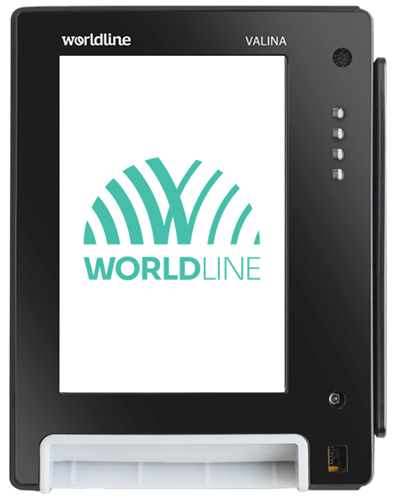
The Valina is an integrated unattended terminal. Mounting, cabling and activation are carried out by an installer; the customer only operates the visible payment interface.
- Check the EVA mounting opening, gasket and available space in the machine.
- Choose the correct communication interface for the vending controller in advance.
- Make sure the power supply and network meet the installation diagram.
Connecting and starting up
- Fit the gasket correctly and mount the Valina in the designated EVA opening.
- Fasten the terminal evenly without deforming the housing or seal.
- Connect the agreed interface and power supply while the machine is disconnected from the power.
- Switch on the machine and wait until the terminal is ready.
- Test contactless, chip and PIN to the extent these payment methods have been activated.
Daily use
- The customer makes a selection on the vending or self-service machine.
- The machine displays the amount and sends it to the Valina.
- The customer follows the payment instructions and presents a card or phone.
- The machine only dispenses once a successful payment has been confirmed.
- Regularly check faults and transactions in the management environment.
The Valina does not have an integrated receipt printer. A digital receipt or a receipt from the machine must be set up separately if required.
What can you check yourself?
- Check the power supply, network and connection with the vending controller.
- Check that the Valina receives the correct amount.
- Inspect the exterior and mounting for damage, moisture or tampering.
- Write down the error code, time and selected product before contacting support.
Safety and maintenance
- Use the prescribed mounting gasket to seal the machine opening properly.
- Do not open the secured terminal housing.
- Protect internal cables against moisture, heat, sharp edges and strain.
- Take a damaged or possibly tampered terminal out of service immediately.
Clean the housing with a soft, slightly damp cloth. Do not use aggressive cleaning agents and prevent moisture from entering card readers, connectors or ventilation openings.
Official documentation
This page is a practical summary by Pin Vandaag. The official PDF manuals are also stored locally on this website, so you can open them directly. For technical installation, connections and model-specific safety instructions, always use the manufacturer's documentation.